Select Version of EA Desktop:
The seismic that is linked to a bin grid determines which files are available for linking to the bin grid. To create a link to a file, the file must be associated to seismic that is currently linked to the bin grid. To create seismic links refer to Link a bin grid to seismic.
To link a bin grid to files:
-
From the Bin Grid Properties grid Click to select the bin grid.
-
Right-click and select .
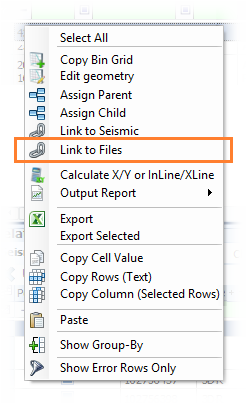
-
The files available for linking display in a grid in the new window.
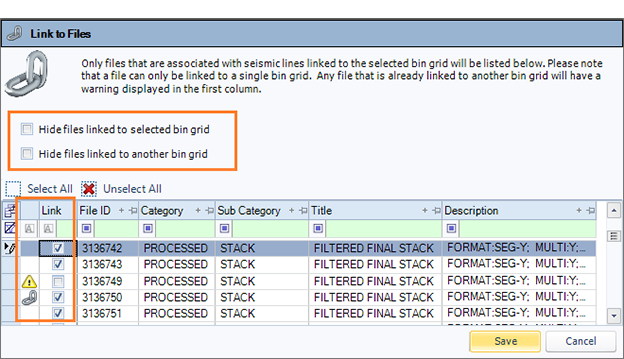
Since files can only be linked to a single bin grid, a warning
 in the leader column indicates a file that has an existing link to another bin grid. If you create a new bin grid link to the file, the existing link will be removed.
 A link in the leader column indicates a file that is already linked to the selected bin grid.
- To help filter the list of files, select the option to hide files linked to another bin grid or linked to the selected bin grid.
- In the Link column, select the files to link.
- Click Save.
The files link to the bin grid and display in the File tab of the Related Records.